
< 90 seconds
Typical path from deploy to a live MCP endpoint with a shareable URL.
Connect a repo, Docker image, or package — or install from the registry. Deploy from the dashboard, the mcpl CLI, or your AI agent. Run servers independently or combine them behind one secure Gateway. We handle runtime, security, logs, and tool analytics.
curl -fsSL https://mcplambda.io/mcpl/install.sh | sh
< 90 seconds
Typical path from deploy to a live MCP endpoint with a shareable URL.
4 ways to ship
Dashboard, mcpl CLI, registry install, and agent control plane — same platform.
Build with us
Questions, demos, and agent workflows.
From sign-in to a production MCP endpoint in under 90 seconds.
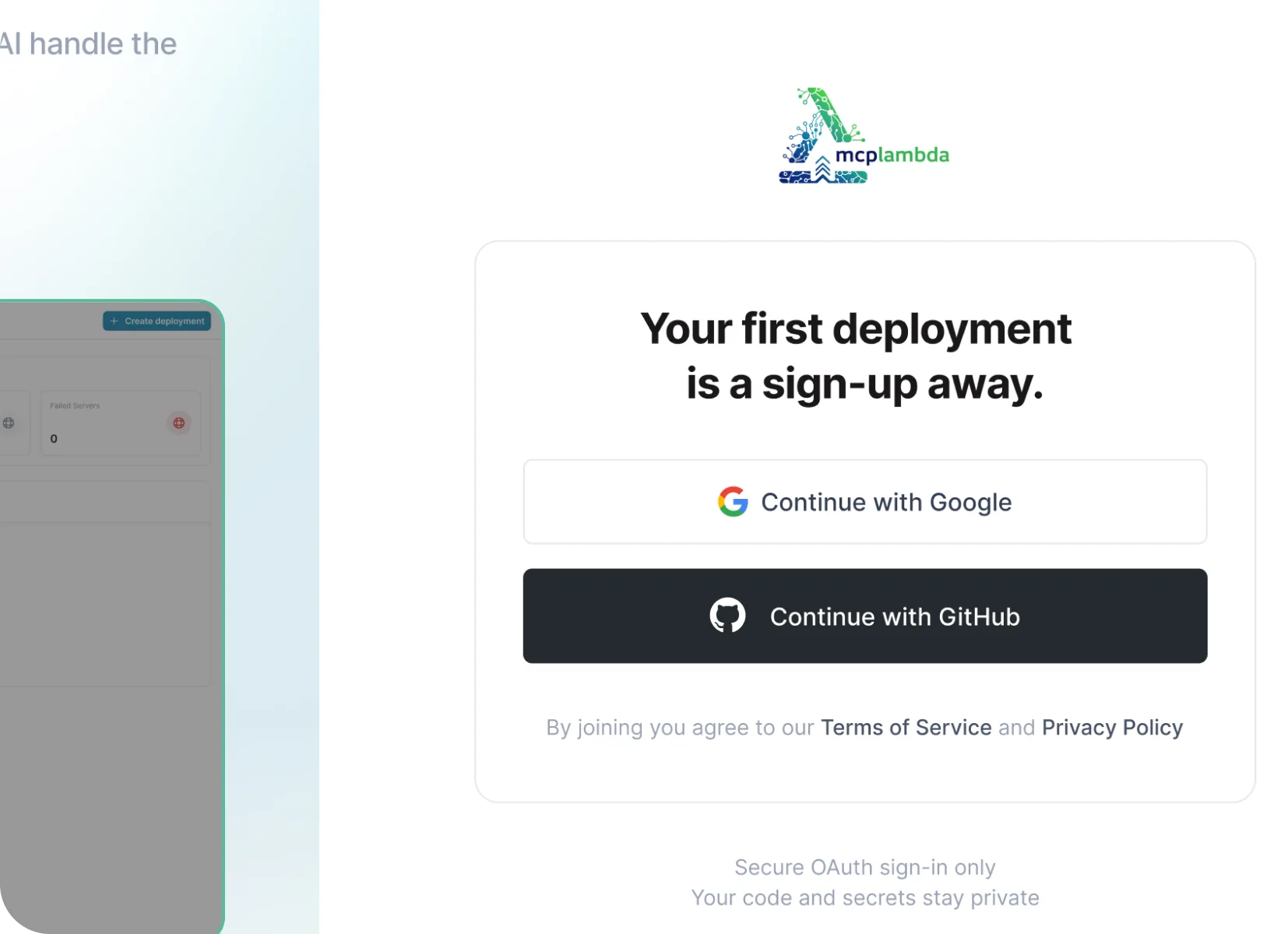
Sign in with GitHub or Google. Your first project is ready — or install the mcpl CLI and authenticate from the terminal.
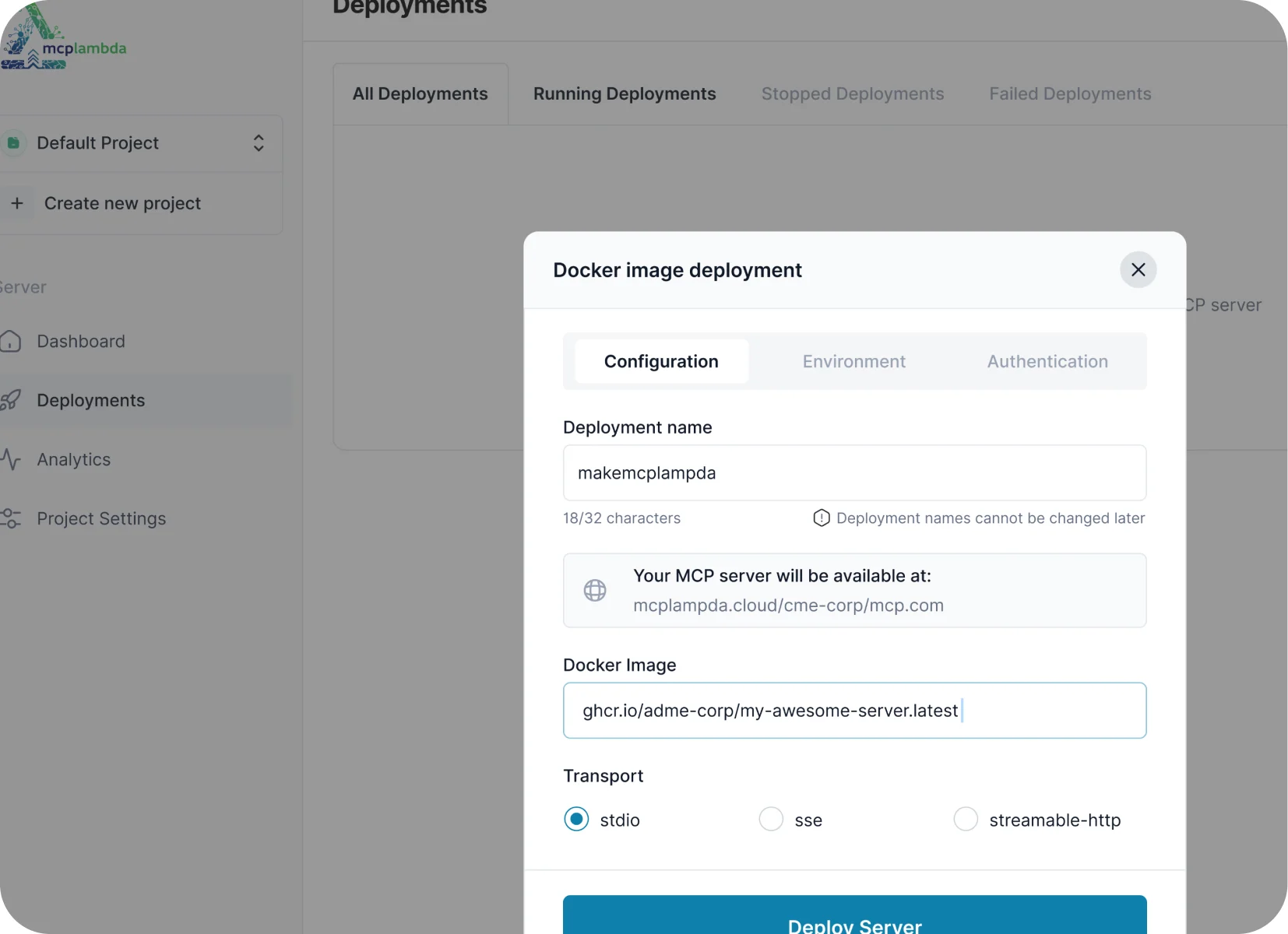
Ship from a package URL, Git repo, Docker image, or install from the registry. Dashboard, CLI, or ask your AI agent — same result.
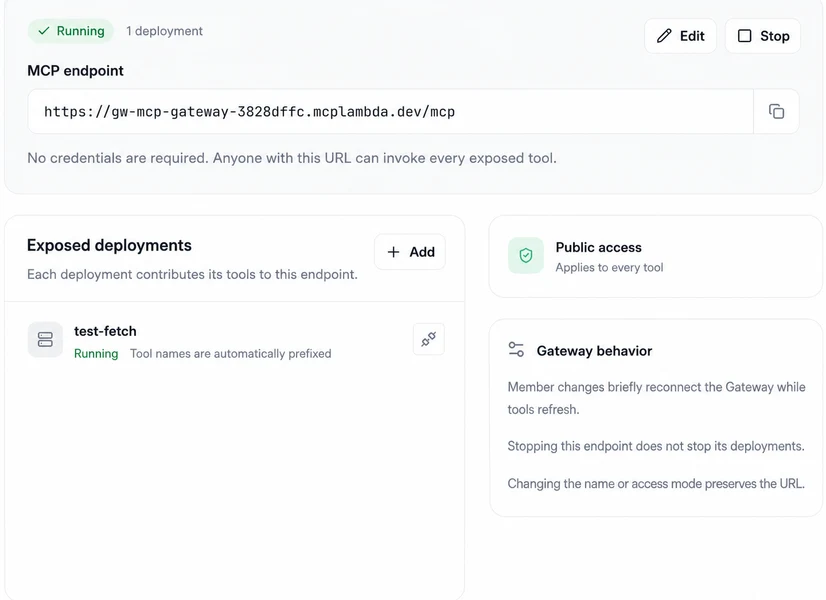
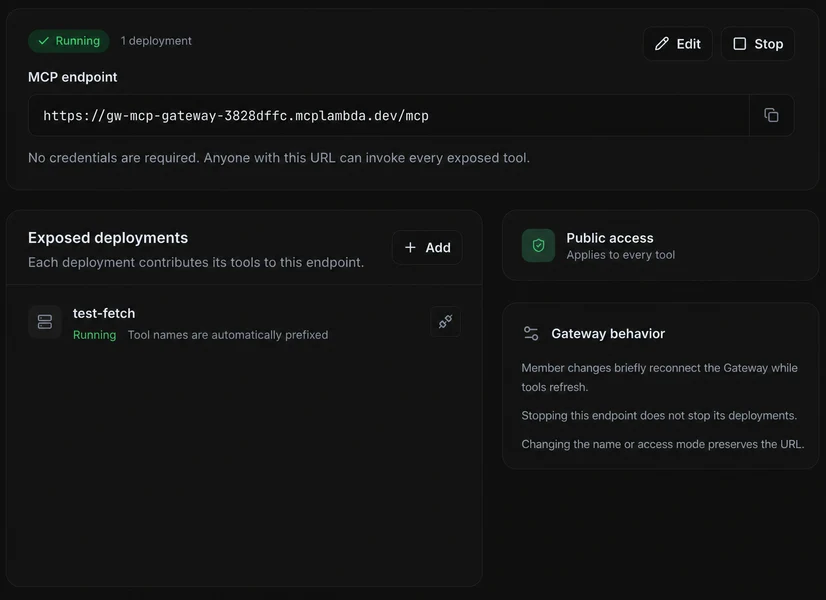
Connect Cursor, Claude, or VS Code to one deployment or a Gateway that combines several. Stream logs, inspect tool analytics, and evolve the toolset centrally.
Combine tools from multiple MCPLambda deployments behind one stable endpoint. Add or remove servers later without updating every MCP client.
Give Claude, Cursor, VS Code, or your own agent one stable MCP URL instead of configuring every deployment separately.
Choose OAuth, API key, or public access once for the Gateway. The policy applies to every tool it exposes.
Add or remove running deployments later without changing the Gateway URL. Tool names are prefixed to avoid collisions.
Whether you live in the browser, the terminal, a catalog, or your coding agent — MCPLambda meets you there.
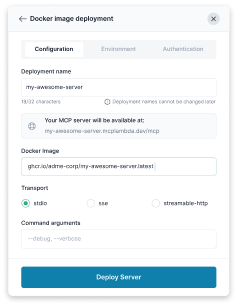
Connect a GitHub repo, Docker image, or package URL. Configure transport, secrets, storage, and auth — then ship from the console.
Install mcpl, log in once, and deploy with a single command. Stream build logs, tail runtime output, and manage projects without leaving the shell.
Search the curated registry for Official and Community servers, inspect tools and transports, then install into your project in a couple of clicks.
Connect Claude, Cursor, or VS Code to the MCPLambda MCP server. Deploy, search the registry, rotate keys, and check logs through natural language.
Built for developers and agents who prefer the terminal. Install once, deploy anything
from npx://,
uvx://,
Git, or a container image.
# install
curl -fsSL https://mcplambda.io/mcpl/install.sh | sh

# authenticate
mcpl login

# deploy a package
mcpl deploy npx://@mcp/server-timeDeployments, Gateways, registry, analytics — and a short deploy loop.
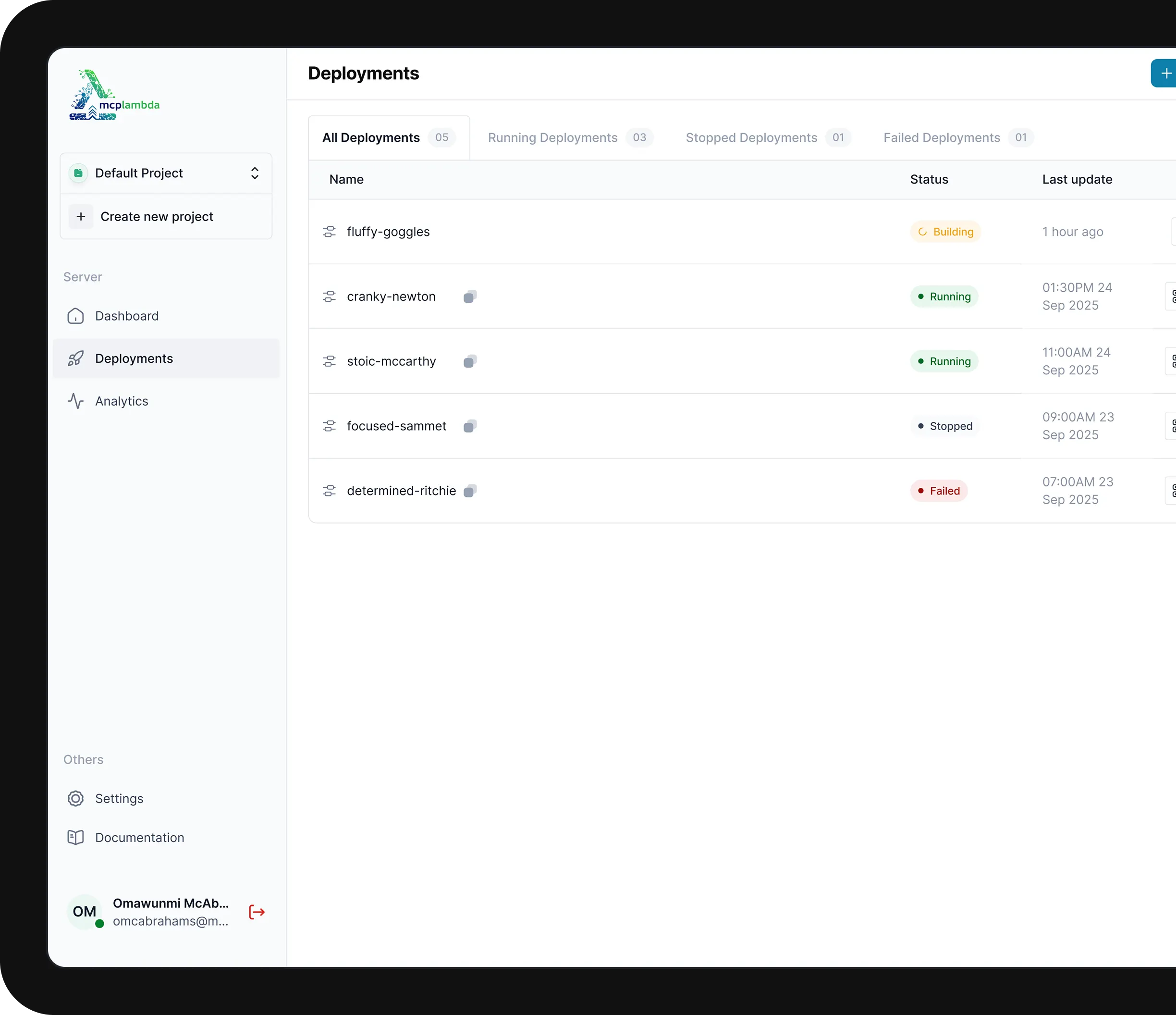
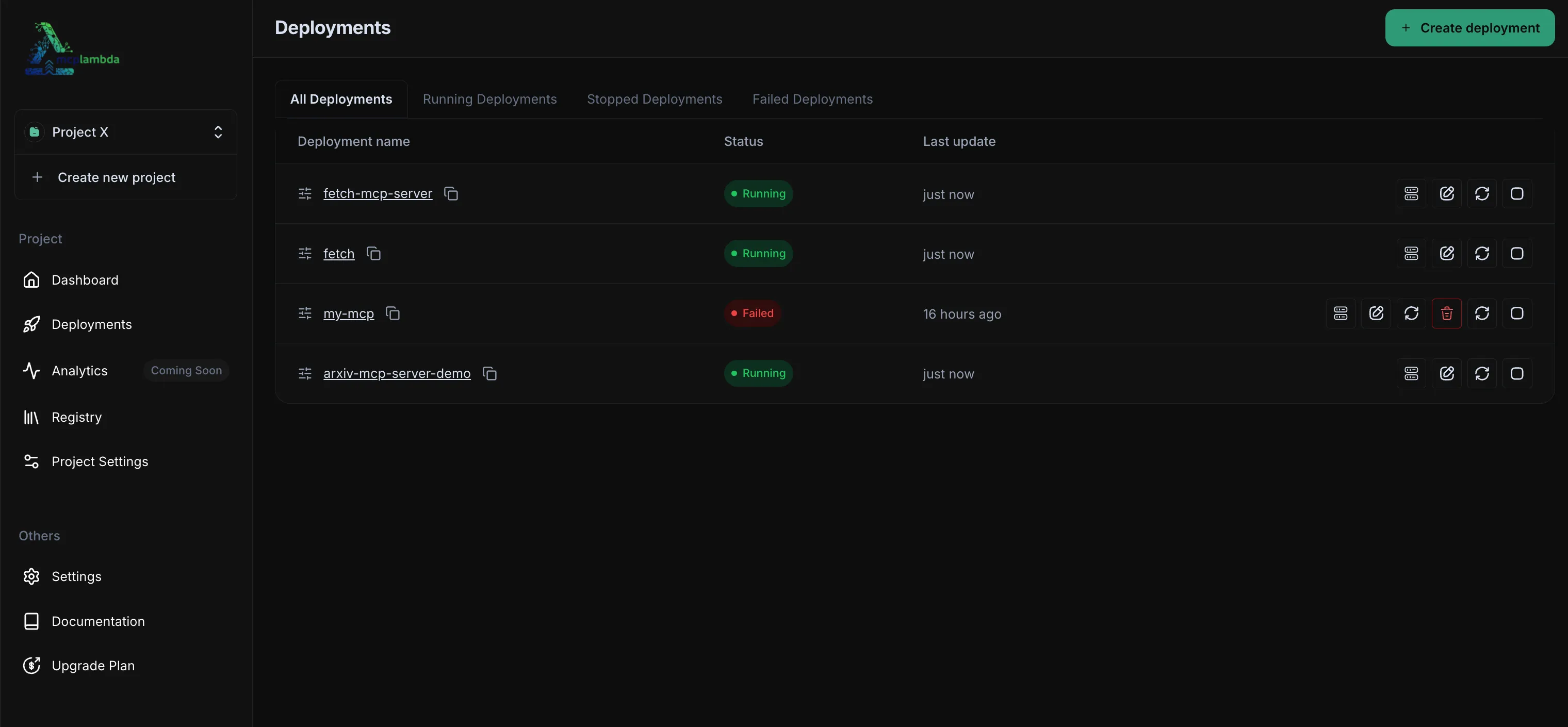
Manage every deployment from one console.
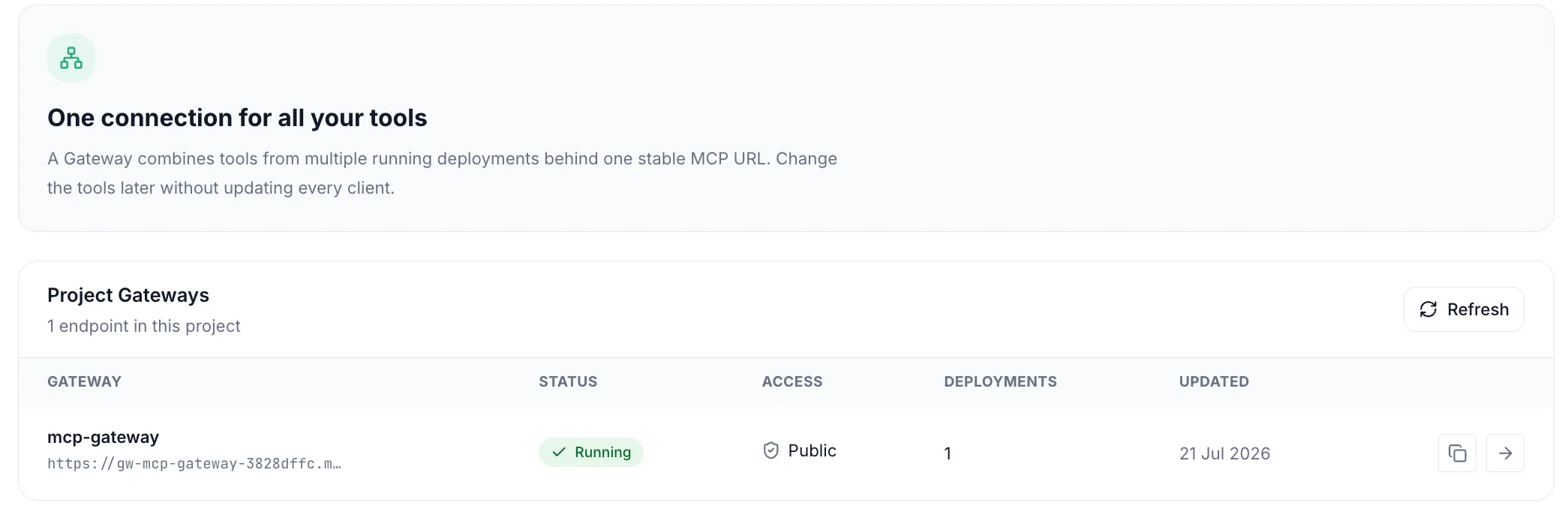
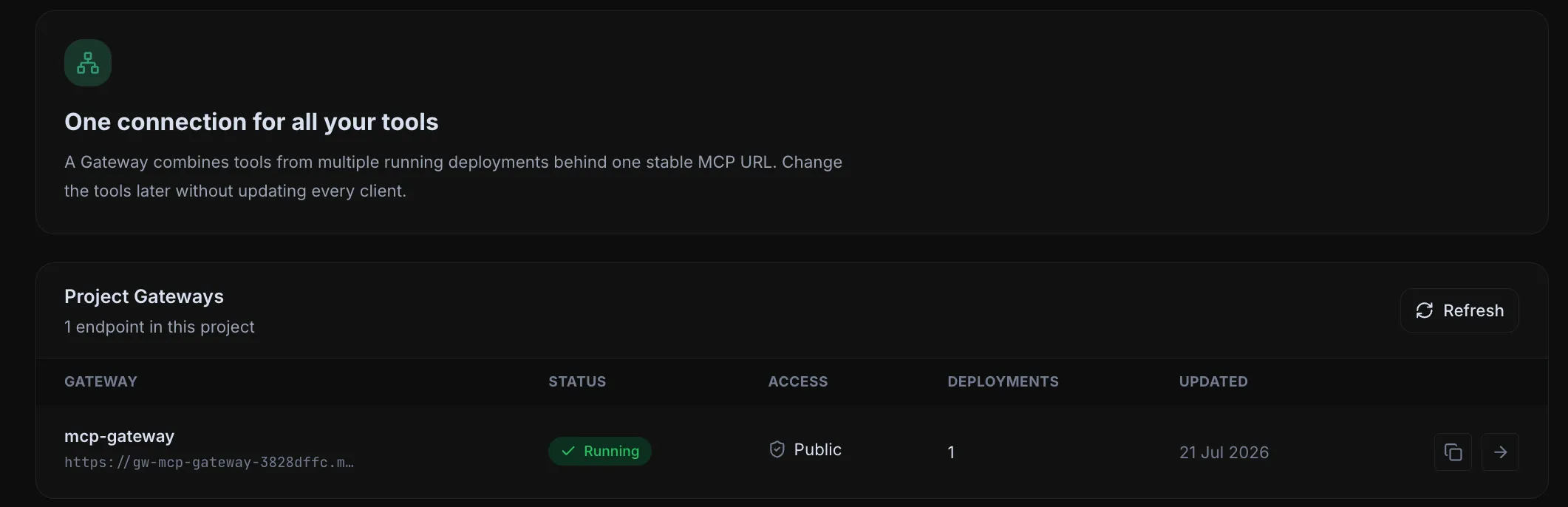
Combine multiple deployments behind one stable MCP URL.
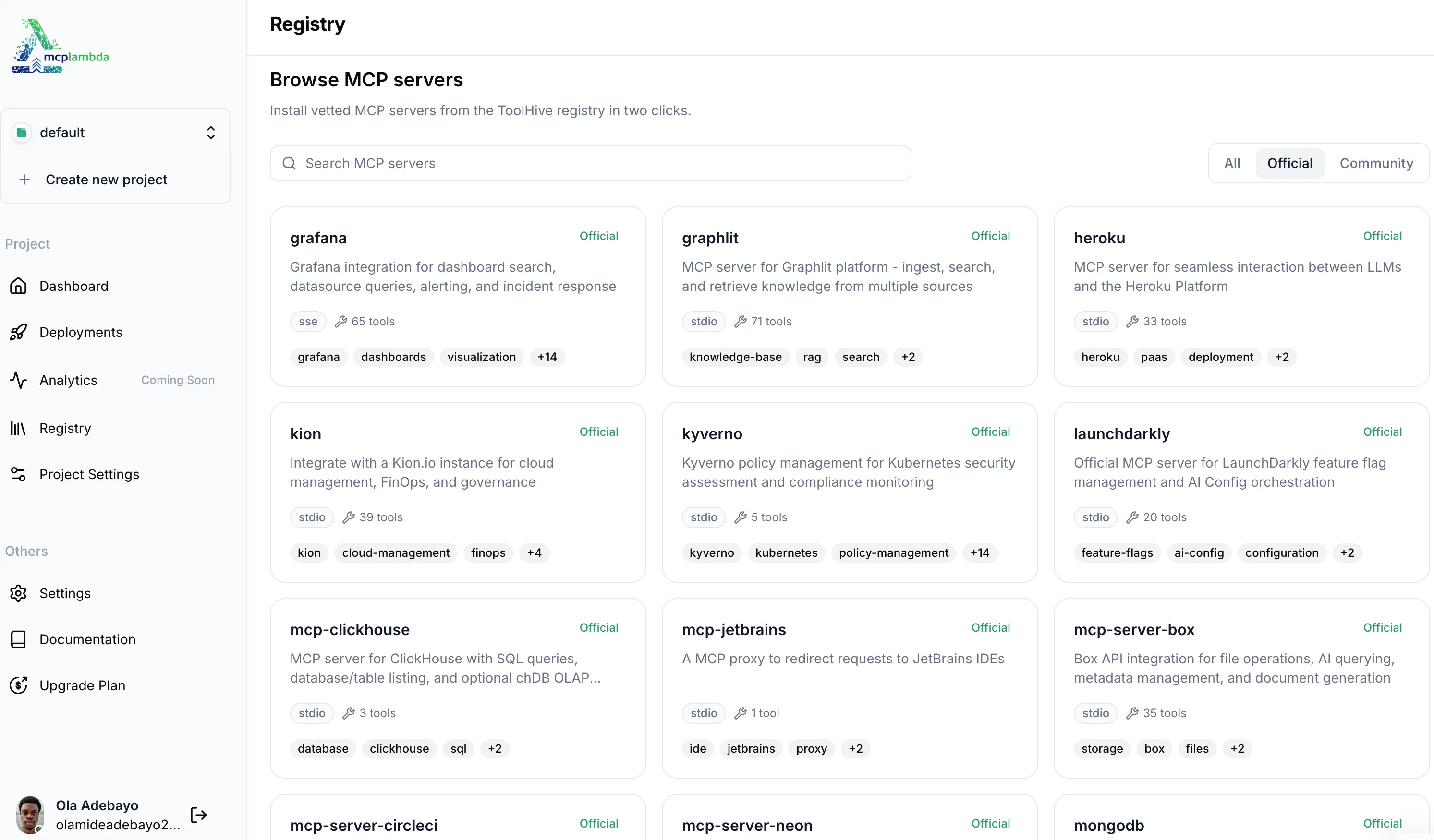
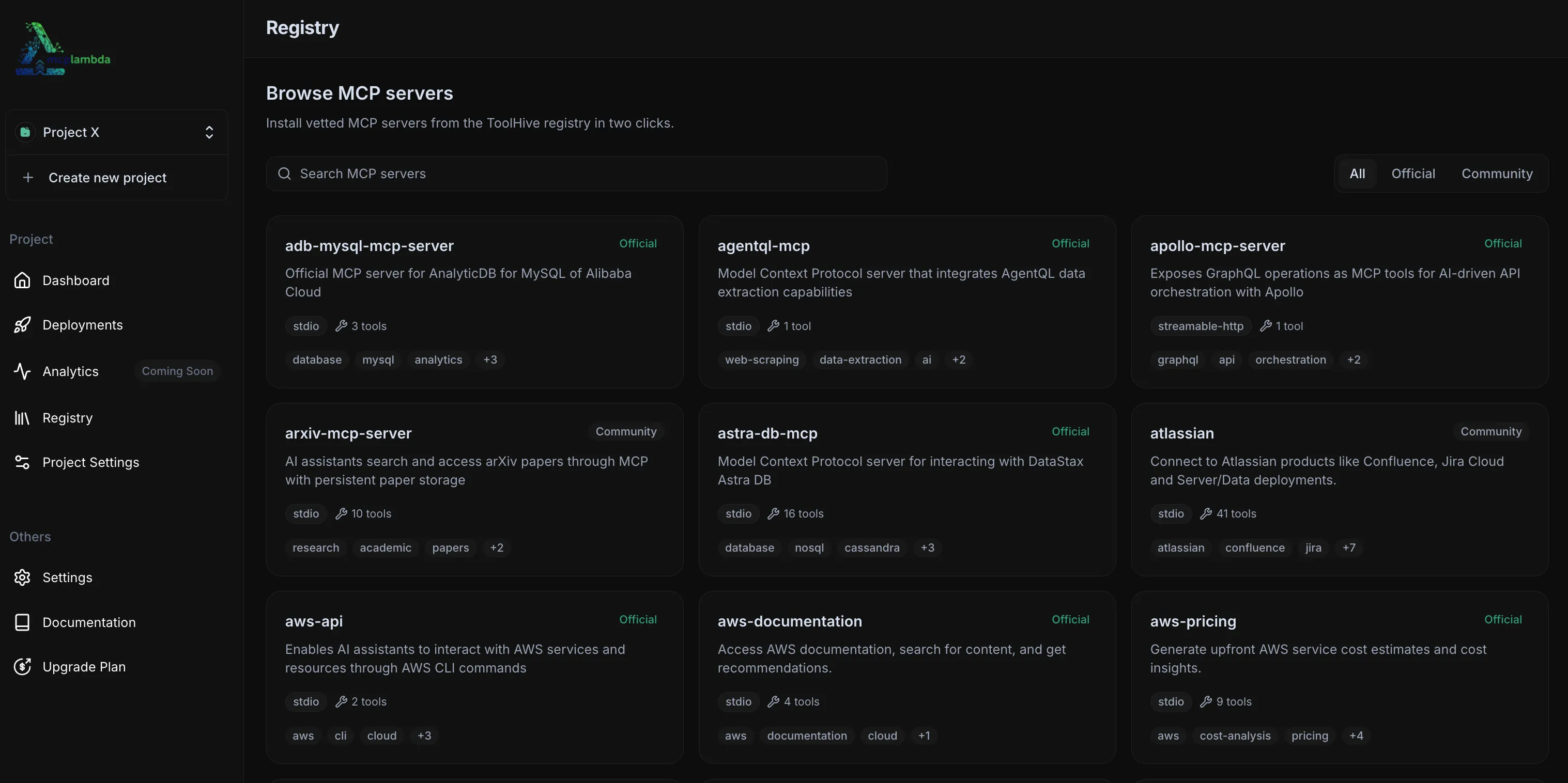
Browse Official & Community servers, install in clicks.
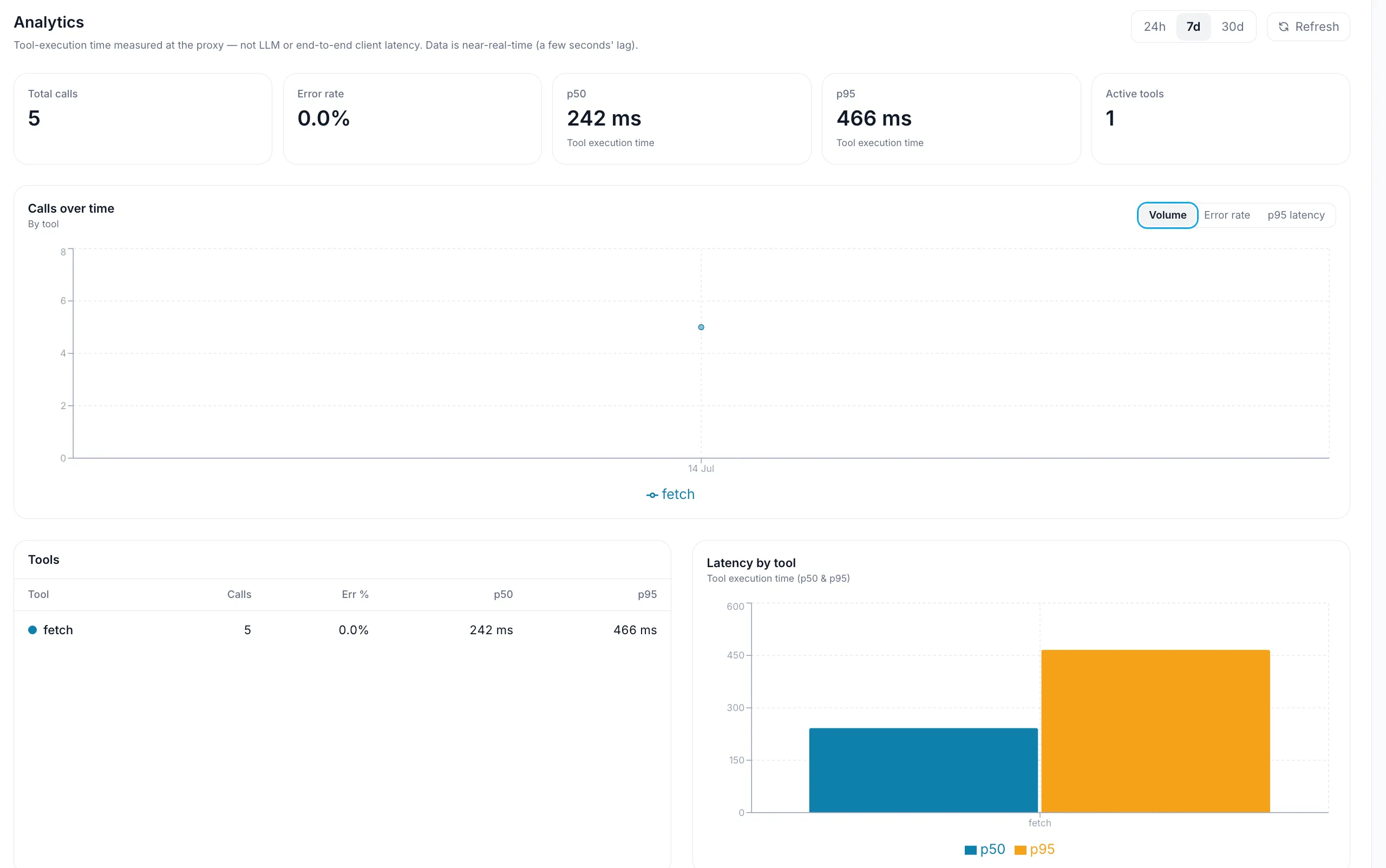
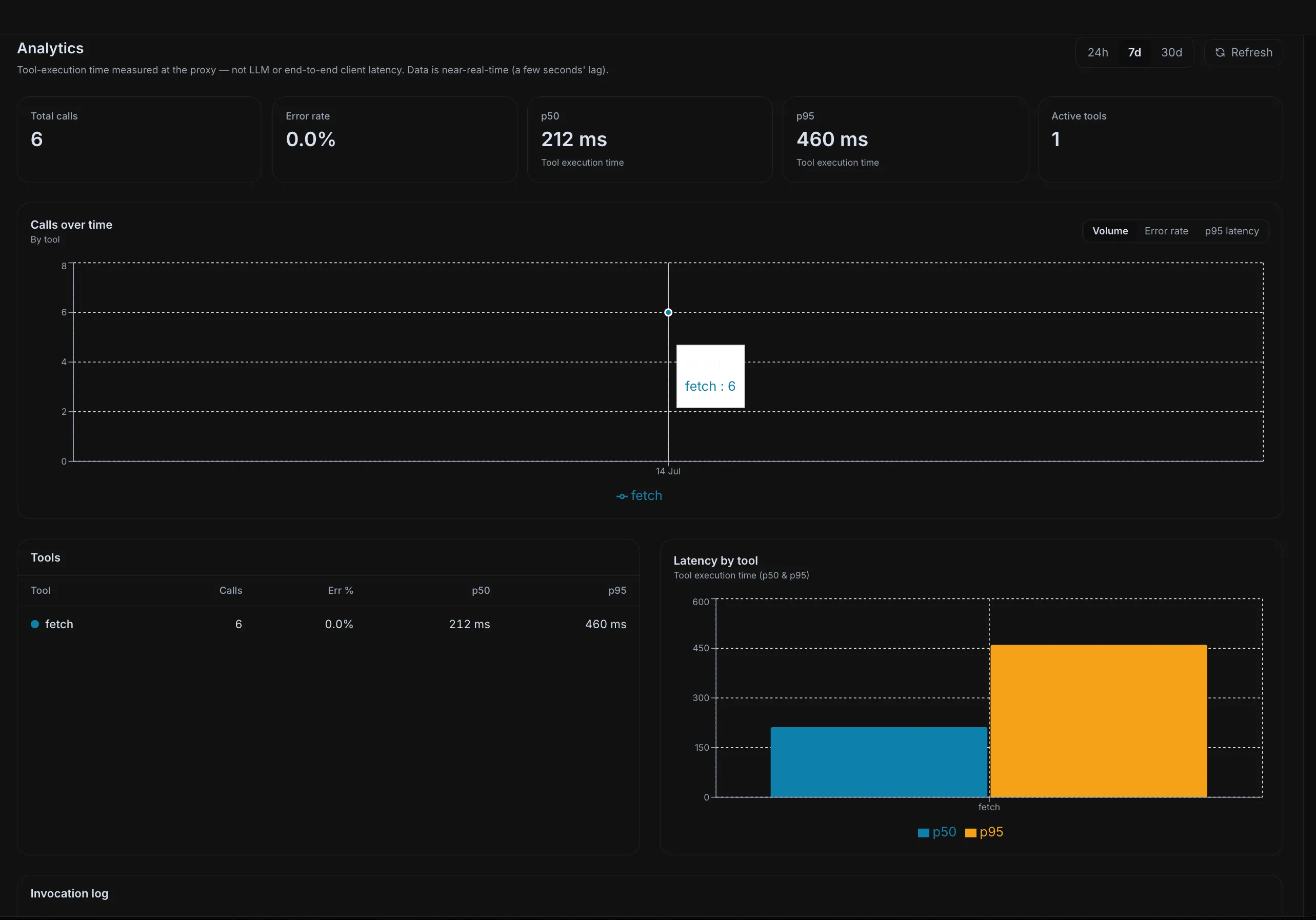
Tool calls, errors, latency, and invocation history.
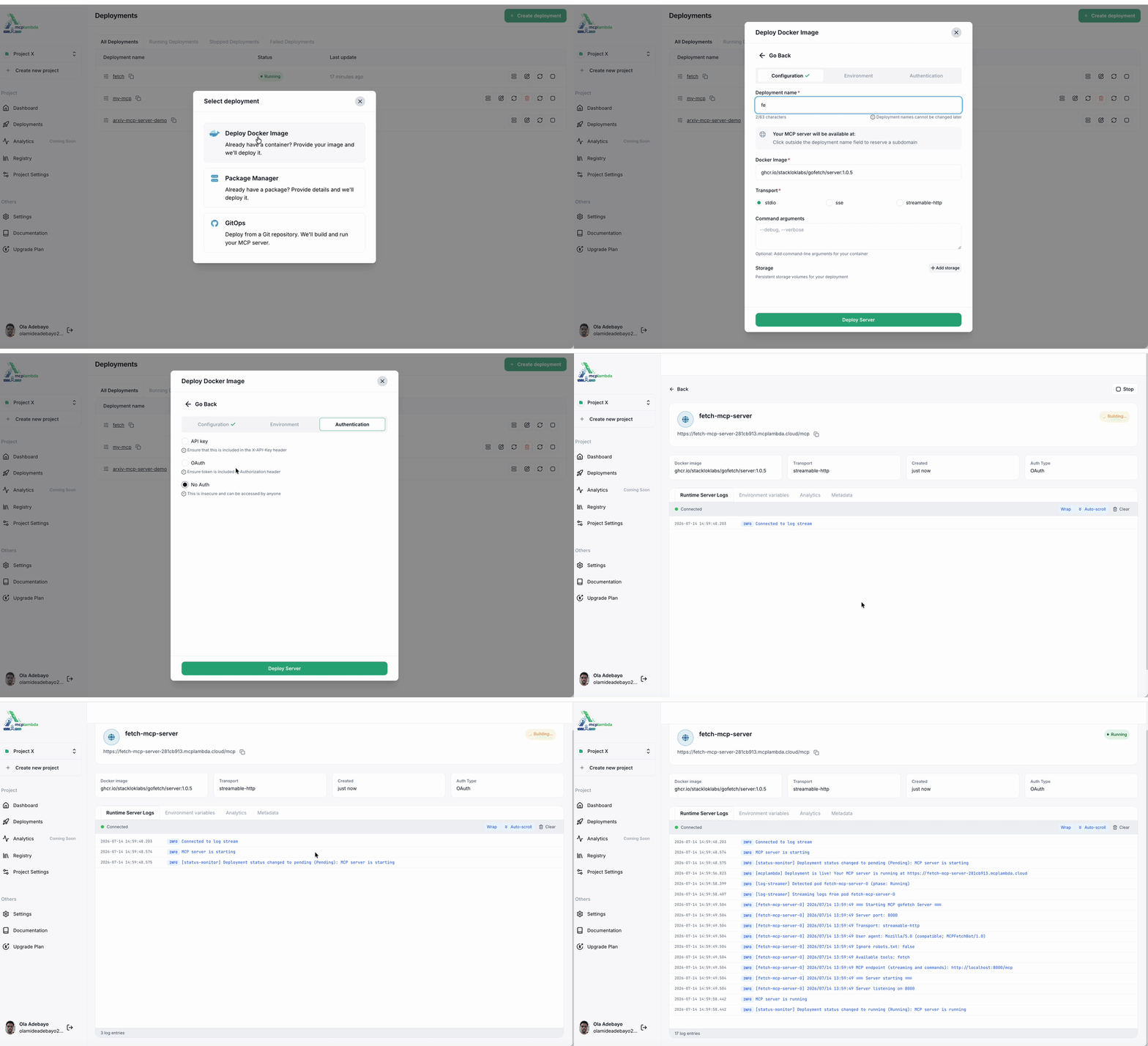
From source URL to a live endpoint.
Browse Official and Community MCP servers, then deploy into your project — without giving up bring-your-own Git, Docker, or package deploys. 79 servers in the catalog and growing.
Official MCP server for AnalyticDB for MySQL of Alibaba Cloud
Model Context Protocol server that integrates AgentQL data extraction capabilities
Exposes GraphQL operations as MCP tools for AI-driven API orchestration with Apollo
AI assistants search and access arXiv papers through MCP with persistent paper storage
Model Context Protocol server for interacting with DataStax Astra DB
Connect to Atlassian products like Confluence, Jira Cloud and Server/Data deployments.
Prefer your own server? Deploy from Git, Docker, or a package URL with the same ops surface.
Connect Claude, Cursor, or VS Code to the MCPLambda MCP server. With a service account token, agents can search the registry, create deployments, manage secrets, and pull logs — through natural language.
{
  "mcpServers": {
    "mcplambda": {
      "url": "https://api.mcplambda.io/mcp",
      "headers": {
        "Authorization": "Bearer mcpl_sat_…"
      }
    }
  }
}
Create a token in Settings → API Tokens, then ask your agent to deploy.
Deploy, discover, operate, and secure MCP servers — from first commit to production traffic.
The full stack for MCP server infrastructure.
GitOps from a repo, pull a Docker image, or deploy a package URL (npx, uvx, pip, go). Same platform, same ops surface — pick the path that matches your workflow.
Combine up to 20 running deployments behind one stable Gateway endpoint. Choose OAuth, API key, or public access, then change members without changing the URL.
Browse Official and Community servers, filter by tier and tools, then install into your project. Discovery without giving up bring-your-own-server control.
See which MCP tools your traffic hits, how often they fail, and how long they take — plus a searchable invocation log per deployment. Ops clarity, not just uptime greps.
The MCPLambda MCP server lets Claude, Cursor, and VS Code deploy, inspect, and manage infrastructure through natural language — using service account tokens you control.
Every server runs in an isolated container with minimal permissions, network filtering, encrypted secrets, API-key or OAuth auth, and an SSE proxy that keeps container ports off the public network.
Purpose-built for AI engineers, platform teams, and startups who need to deploy, discover, and operate MCP servers without managing Kubernetes.
Turn local MCP prototypes into secure remote endpoints your agents can call. Use the dashboard, mcpl CLI, or the MCPLambda MCP server — then watch tool analytics in production.
Expose internal APIs and services to LLMs with isolated runtimes, encrypted secrets, API-key or OAuth auth, and a registry path for vetted community servers.
Ship production-ready MCP infrastructure without a DevOps hire. Projects, compute units, live logs, and team seats scale with you from free tier to enterprise.
Free tier included. Deploy from the console, mcpl CLI, or your AI agent.
Everything you need to know about using MCPLambda
MCPLambda is a Platform-as-a-Service for AI agent infrastructure. Deploy and manage MCP servers from a Git repo, Docker image, package URL, or the server registry — without running Kubernetes yourself.
No. MCPLambda abstracts orchestration, networking, storage, and security. You configure the server; we run the runtime. Power users can still use the mcpl CLI and service tokens for automation.
Four paths into production: GitOps from a GitHub repository, direct Docker/OCI images, package URLs (npx, uvx, pip, go), and one-click install from the MCP server registry.
Yes. Install mcpl with a one-liner, run mcpl login, then mcpl deploy to ship servers, stream logs, manage secrets, and search the registry from your terminal — ideal for developers and AI agents.
A curated catalog of Official and Community MCP servers you can browse, filter, and install into your project. You still keep full bring-your-own-server control via Git, Docker, or packages.
Yes. An MCPLambda Gateway combines tools from up to 20 running deployments behind one stable MCP endpoint. Choose OAuth, API key, or public access for the Gateway, then add or remove member deployments without changing its URL.
Every deployment gets live runtime logs plus tool-usage analytics: call volume, error rates, tool latency (p50/p95), and a searchable invocation history so you can see which tools agents actually hit.
Yes. Connect Claude, Cursor, or VS Code to the MCPLambda MCP server with a service account token. Agents can deploy servers, search the registry, manage secrets, and check logs through natural language.
Every MCP server runs on ToolHive in an isolated container with minimal permissions, network filtering, and encrypted secrets. Choose API-key, OAuth, or no auth per deployment. An SSE proxy keeps container ports off the public network.
Most deployments complete in under 90 seconds. From sign-in (or mcpl login) to a running endpoint with a shareable deployment URL.
Fundamentals, production deploy, use cases, and platform comparisons — from first tool to remote MCP at team scale.
Host, client, and server roles in the Model Context Protocol — as defined in the official MCP architecture docs — with plain-English examples.
How to build a first MCP server using official Model Context Protocol docs and SDKs — tools, stdio logging rules, Claude Desktop config, and links to complete weather-server tutorials.
Build a production-ready MCP server using mcplambda.yaml — what the file is, how MCPLambda processes it, and a full Git deploy walkthrough.
Use MCP with Cursor, Claude, and VS Code for engineering workflows — official transport and client guidance, security, progressive tool discovery, and remote team sharing.
Why serious MCP builders choose MCPLambda over Vercel Functions for production servers. Compare mcp-handler friction, tool analytics, Docker limits, and when Vercel still makes sense.
Why serious MCP builders choose MCPLambda over raw AWS, GCP, or Azure hosting. Compare setup friction, IAM tax, tool analytics, and ops burden — and when a hyperscaler still makes sense.
